
Online waivers for youth and family groups
Signed on the phone. A signed PDF for everyone.
Signed, filed, easy to find
Waivers without the shoebox
- Your own Word form
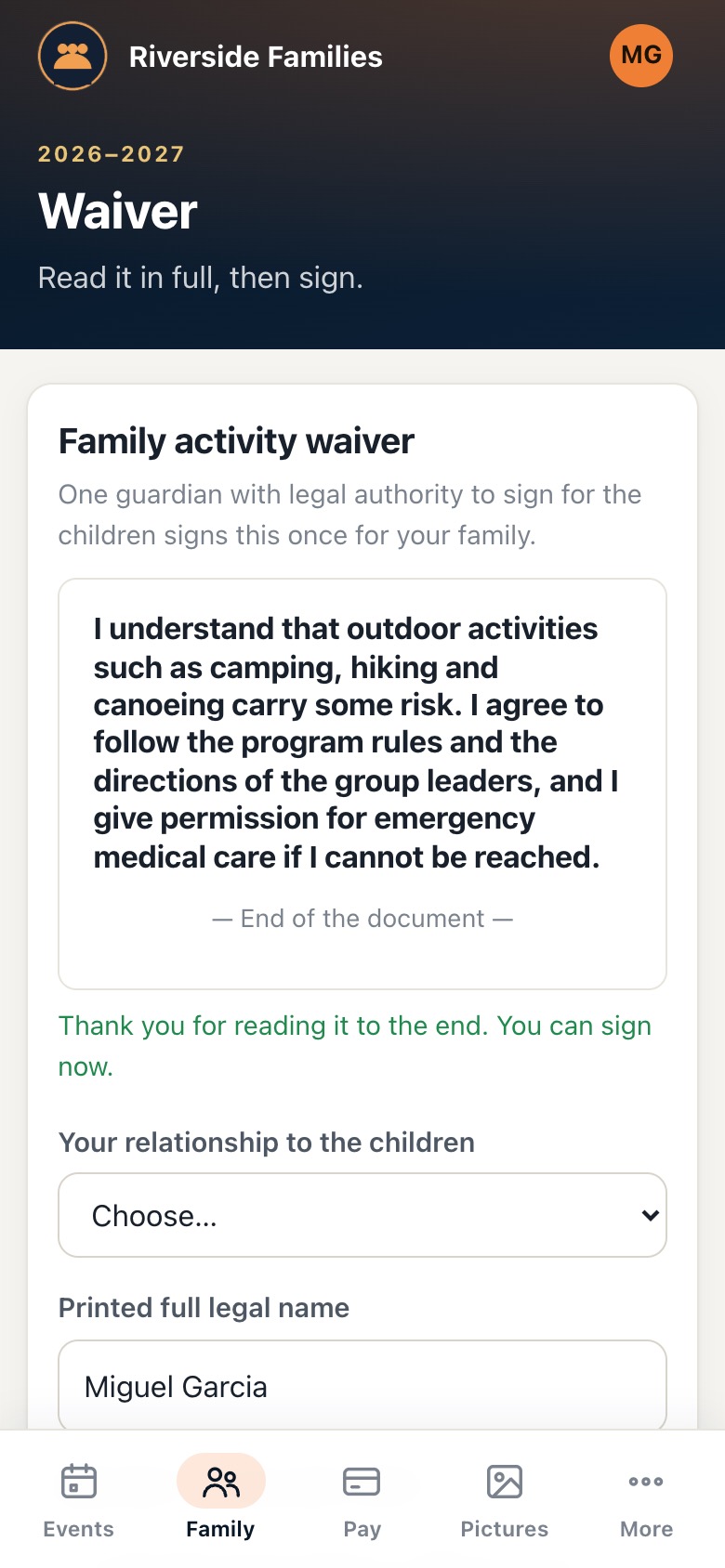
- Signing unlocks after reading to the end
- Per family or per adult
- Signed PDF by email
- Whole season in one download
- Never deleted
See every detail
- Upload your own waiver as a Word file. The full text is shown on the signing page.
- The Sign button stays off until the member has scrolled to the end.
- Choose who signs: one parent or guardian once for the whole family, or each adult for themselves.
- More than one waiver per season. A family counts as signed only when every waiver in use is signed.
- Printed legal name, typed signature and date are required, and the signature must match the printed name.
- Minors' forms ask for the signer's relationship and each child's name and date of birth.
- Notices written in capitals print large and in a different typeface on the signed PDF, built to follow Florida's large-print rule for minors' waivers.
- Each signed PDF records who signed, their email, the time with time zone, and the form's name and version.
- Every signer gets a copy by email, and members can download theirs from My Family.
- Organizers open any family's copy, or download the whole season as one .zip file.
- Signed waivers are never deleted. Resetting a family or removing a waiver keeps the record.
- Paper forms can be marked as received.
Have your own lawyer review your forms. OurGroop gives you the signing tools, not legal advice.
Also for parent-child programs, youth sports leagues, booster clubs and online waivers. All features · Compare

Put your waivers online this season.
Try signing one yourself in the demo.